


























Migrations lose traffic when the continuity work gets rushed, or when a platform move is treated like a redesign. Every mistake here is knowable in advance and every one has a check you can run before go-live. The pre-launch 10:
- Map every old URL to its closest new page, never the homepage
- Confirm every moved URL returns a single
301or308to a200; kept URLs stay200with no redirect - Keep every redirect to one hop, no chains or loops
- Use
301for permanent moves, never302 - Lower the TTL and verify the origin before any DNS or TLD change
- Strip the staging
noindextag and anyDisallow: /inrobots.txt, then confirm both are gone - Point every canonical at its own live URL
- Reconnect and test every integration, analytics first
- Carry structured data over with the content
- Repoint internal links straight at the new URLs
Why B2B website migrations lose traffic
Migrations lose traffic more often than they gain it. Google says some ranking fluctuation is normal while they recrawl; a medium site can take a few weeks to settle, a large one longer. The cause is rarely the new platform; it is one small thing that broke in the move, a redirect, a tag, an integration nobody noticed. And with 51% of B2B software buyers now starting research with an AI chatbot, up from 29% a year earlier, the URLs that already rank are the ones you cannot afford to break.
Almost every one of those breaks is knowable before launch, and every one has a check you can run first. This is that checklist, ten pre-launch mistakes and the post-launch monitoring, written for the developer or PM running the move.
Your website migration checklist: 10 B2B website mistakes to avoid
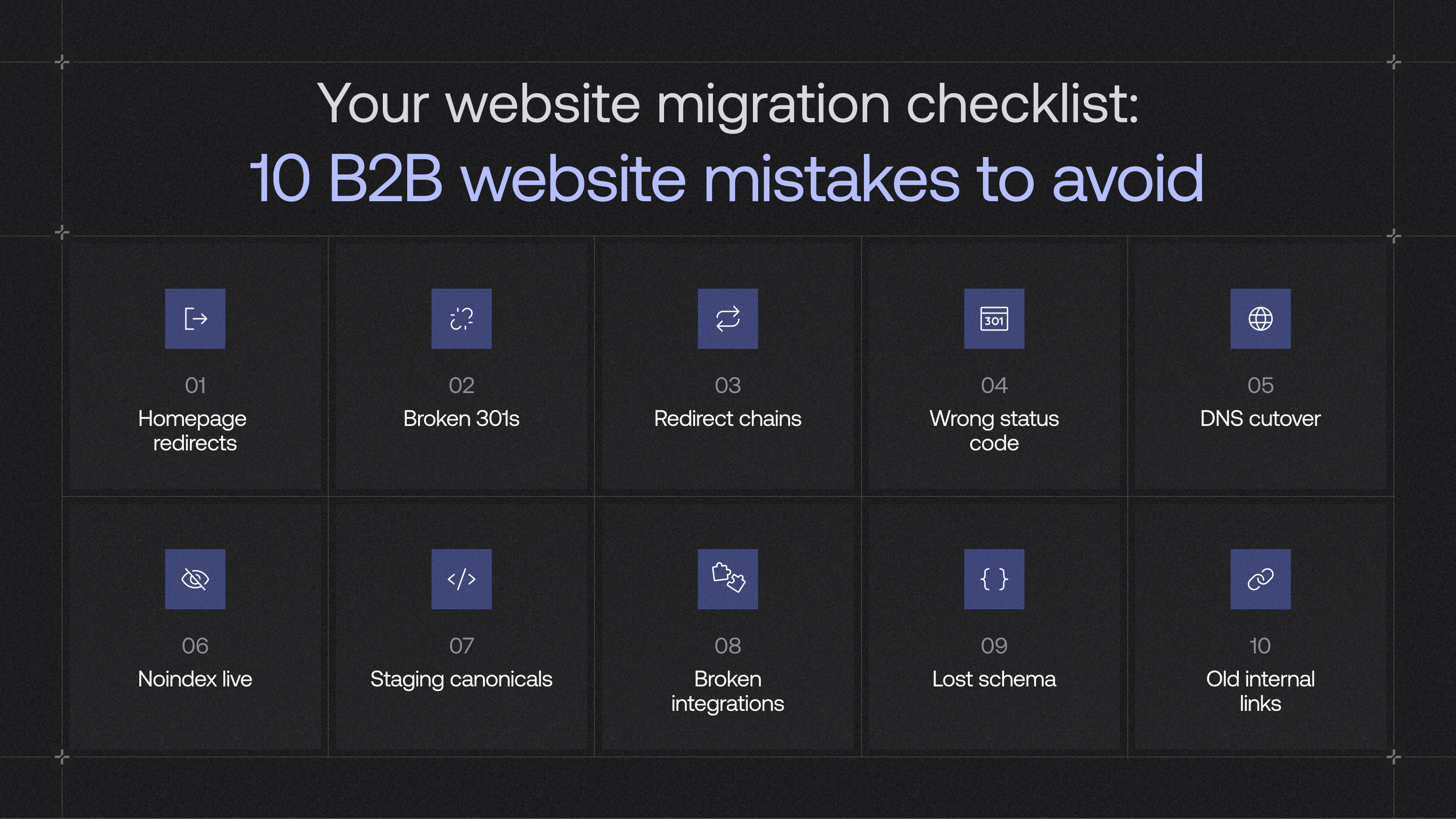
Run this website migration checklist against the build before you sign off on a launch date. Each mistake gets a quick read on why it happens, then a one-row checklist you can hand to whoever runs the checks. Nothing counts as done until it is verified on production.
Mistake 1: redirecting old URLs to the homepage
A catch-all rule sweeps every old path to / instead of mapping each one, and on launch day it all resolves so the site looks fine. But a search engine reads a page-to-homepage redirect as "content gone", not "content moved", so years of ranking history get thrown away. The pages most likely to get swept this way are the ones carrying the most link equity into the rebuild, which is exactly why the map has to be built one URL at a time.
"A catch-all to the homepage passes QA because every URL returns a 200, so it looks clean right up until Google recrawls and reads a few thousand many-to-one redirects as pages that no longer exist. We build the map at the path level, group old URLs by template, and only fall back to a parent category page when no closer equivalent exists. The homepage is never a redirect target."
— Adam Muchowski, Developer, Grafit
Mistake 2: missing or broken 301 redirects
A few URLs always slip between the first crawl and the final map, and each one is a page that used to rank now hitting a 404. It is the most common cause of a post-launch drop because the broken pages are rarely in your main menu, so nobody catches them by clicking around. The fix is classifying every old URL into keep, redirect, merge or remove during the audit, then treating that map as the single source of truth for the website migration build.
Mistake 3: redirect chains and loops
Chains build up on sites that have moved before: an old rule sends A to B, a new one sends B to C, so every request bounces through two or three hops before it lands. Each hop adds latency, and Googlebot can follow up to 10 hops, but they want one hop, or at most three, never five. Flatten every path before go-live. How cleanly redirects are handled depends a lot on the platform you migrate to, which is part of the build decision, not an afterthought.
Mistake 4: the wrong redirect status code
The status code is the part nobody sees, which is why it goes wrong. A platform defaults to a 302, or the redirect runs in JavaScript, and to a human it works the same. A 302 tells Google the move is temporary, so the old URL can stay in results. On a permanent migration you want the new URL to become canonical. Use 301 or 308. A JS redirect or meta refresh can look fine in a browser and still never send that signal.
Mistake 5: mishandling the DNS cutover on a domain or TLD change
If the migration also changes the domain or TLD, DNS decides whether the switch is clean or the site goes dark for hours. The usual failure is flipping the records without lowering the TTL first, so old caches keep serving the dead address. On a root-domain change, skipping Search Console's Change of Address tool leaves Google reassessing the domain from scratch, which is why a domain move takes longer to settle than a same-domain migration and has to be planned days ahead.
"I never move a DNS record until I've hit the new origin directly with a hosts-file override. If the response isn't clean there, DNS isn't your problem, and cutting over just makes the outage public. Usually it's a stale cert or a CDN rule that never came across."
— Adam Muchowski, Developer, Grafit
Mistake 6: the staging noindex tag shipped to production
The most destructive silent failure on the list. The noindex tag that hid the staging site rides along to the live one, tells Google to drop the pages, and within days they vanish, while the site looks perfect to every human visitor the whole time. It hides in three places, so check all three: the meta tag, the X-Robots-Tag header, and robots.txt. Staging often ships a Disallow: / on purpose, and that file reaches production more often than the meta tag.
"TheX-Robots-Tagheader is the one that catches teams out, because it sits at the server or CDN layer and never shows in the page source. You can view source on every page, see a clean head, and still be servingnoindexon every response. We diff the headers between staging and production before cutover, and again straight after."
— Adam Muchowski, Developer, Grafit
Mistake 7: canonical tags pointing at staging
Canonical tags written as full URLs during staging ship with the staging address baked in, pointing at a page that stops existing once staging comes down. The search engine then reads every live page as a duplicate of a page that is gone, and drops the live ones. A template-level build gets this right by default; a rushed one gets it wrong on every page at once.
Mistake 8: broken CRM, tracking and webhook integrations
The mistake that costs a B2B company its pipeline and shows up in no SEO report. A form still submits and thanks the visitor while the lead never reaches the CRM, or an event fires from the wrong place, and three weeks later the numbers look off, and nobody knows why. That is why mapping every third-party tool the site talks to has to happen before the design is touched, with analytics reconnected first so everything downstream can be trusted.
"Lost rankings recover over weeks. A month of form submissions that showed the user a success message and never wrote to the CRM is revenue you never get back. We reconnect analytics first so the tracking is trustworthy, then run a real submission through every form and watch it land, then confirm each webhook fires against the live endpoint rather than the old one still cached in the config."
— Adam Muchowski, Developer, Grafit
Mistake 9: dropping structured data in the move
Structured data is the code that describes a page to machines, and it decides whether you show up as a rich result. It lives in the template rather than the visible content, so a rebuild can leave it behind or carry it over with old URLs still inside. Since a migration is when this is most at risk, treat schema as a launch check, not a detail to fix later.
Mistake 10: internal links pointing at old URLs
Redirects are for traffic arriving from outside, not your own site. When nav, body and CMS links still point at old paths, every internal click runs through a redirect it never needed, slowing pages and weakening the signals that tell search engines which pages matter. Fixing them at source is also a chance to make each link carry real context, part of how a B2B website turns traffic into leads.
What a B2B website migration looks like when the checklist is followed
Work through this website migration checklist properly and the move stops being a risk to survive and becomes one of the highest-return projects a B2B website can run. A clean migration keeps the ranking equity intact and layers a faster, better-structured site on top, and it is the cheapest moment to fold in the technical SEO and answer-engine work that a rebuild makes easy. Callstack shows what that looks like in practice: protecting rankings on a migration, then using the same discipline to move fast.
Callstack: a B2B website migration checklist that held its rankings
Callstack, a leading React Native consultancy, came to us for a complete platform migration and rebuild with a hard six-week deadline tied to a launch. A B2B website migration on that timeline is exactly where the ten mistakes above tend to slip through. Here is how each phase of the work mapped back to the checklist.
The result: live inside the six-week deadline, 176% more conversions and 65.7% more organic traffic, because the ranking equity carried across intact instead of resetting.
Callstack

The result was six weeks and a 176% conversion lift, but the interesting part is how our team hits that deadline without cutting the checks that protect rankings. The case study walks through the component system and the week-by-week build.
The post-launch SEO migration checklist
A migration is not finished at cutover. The first month after go-live is when the hidden problems surface, so half of any SEO migration checklist is the monitoring that runs afterwards. Think of it as a decreasing cadence: intense at first, then tapering as the new site settles.
Then read the movement, because not every drop means something broke. The shape of the dip tells you whether to wait or to act.
- Green, keep watching: a 10 to 20% dip that settles within a few weeks. Normal reindexing.
- Amber, investigate: rankings still sliding after four weeks with no new errors. Usually a signal Google has not reattributed yet.
- Red, act now: a drop past 30% with new
404s and a falling indexed-page count. Something broke, and the trail almost always leads back to the redirects.
Run the B2B website migration checklist before launch day
Get that right and a migration is one of the best moves a B2B website can make. Get it wrong and you spend a year clawing back what you already had. We have taken B2B and SaaS sites through platform changes, rebrands and full redesigns without handing back their traffic, and it always comes down to the redirect mapping, integration audit and staging QA nobody sees.