


























Do you need a migration or a redesign? If the design is the problem, redesign. If the platform is the problem, migrate. Migrations take six to eight weeks. Expect most of that time to go into reconnecting integrations rather than building the new site.
TL;DR
- Choose migration when the platform limits maintenance, speed, integrations, or marketer autonomy; choose redesign when the underlying problem is primarily visual.
- Plan six to eight weeks for a 50 to 200-page SaaS migration, with integration reconnection likely consuming more effort than construction.
- Audit content, revenue-driving URLs, forms, and integrations before designing, then build CMS architecture around how marketers actually publish.
- Protect launch by mapping one-to-one 301 redirects, testing production-like environments, planning DNS cutover, and defining rollback thresholds before traffic moves.
- Reconnect analytics first, then CRM automation, enrichment tools, and webhooks; retest everything after cutover and monitor hidden failures for 90 days.
Website migration or redesign: which project do you need?
Most SaaS teams know the site needs work but haven’t figured out which project it is, and that costs them time and money. A migration is a platform move. A redesign is a design change on the same platform. Both end with a new site going live, and after that they have almost nothing in common. Get a redesign wrong, and you lose rankings. Get a migration wrong, and you lose rankings, your CRM sync, every form on the site, and every tracking event your team relies on.
When to migrate a B2B SaaS website
Most rebuilds start with someone saying "the site feels old."
If the signals point to design being weak rather than the platform, you are looking at a redesign. The two projects overlap at launch, but they answer different questions. When we scope work with a client, the first job is usually deciding which one they actually need, and the audit that separates the two is where that call gets made.
The migration website process, phase by phase
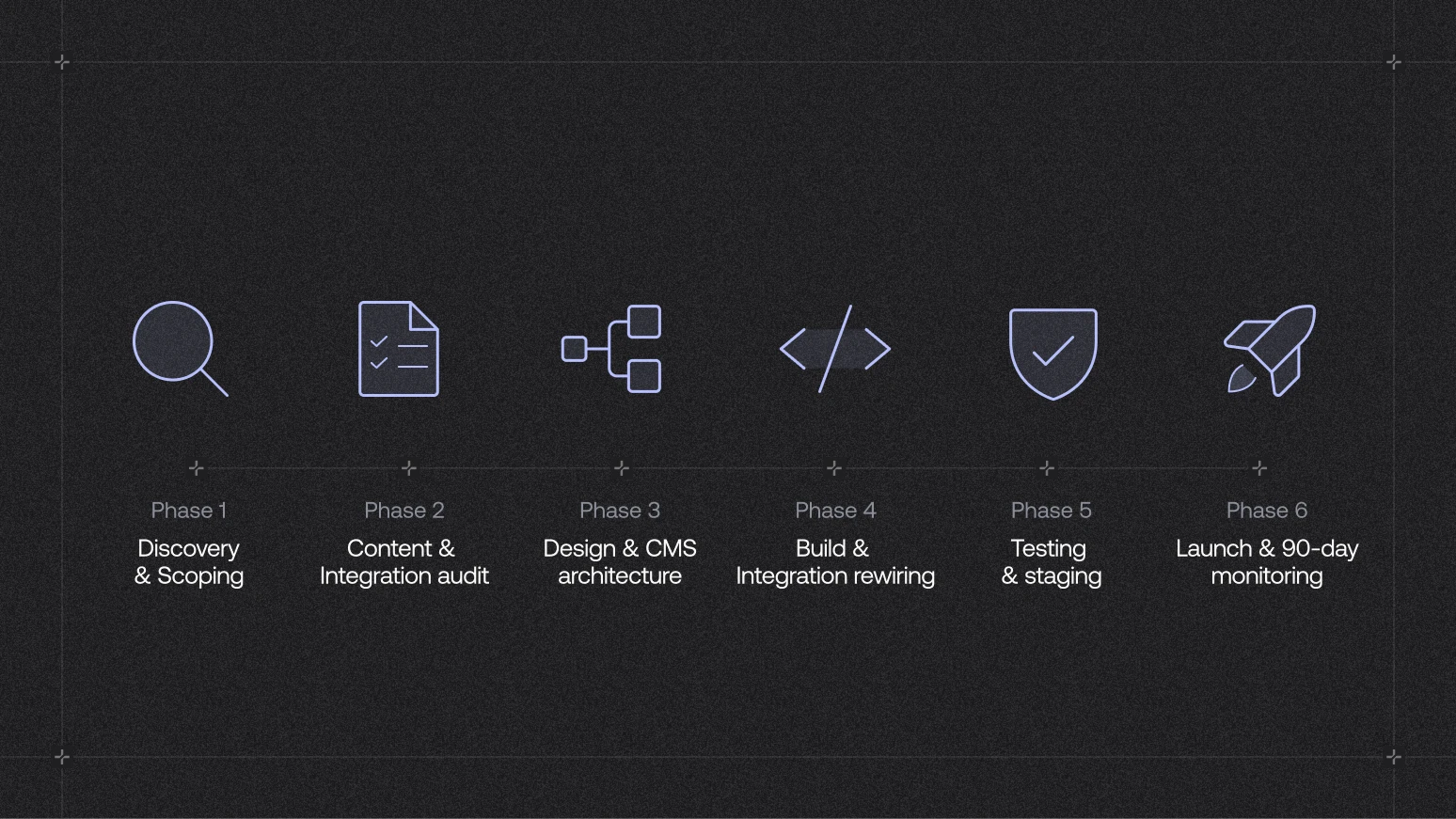
Most B2B SaaS website migrations run six to eight weeks end to end. The phases below are how we scope website migration projects.
Phase 1 Discovery and scoping
Get the brief right before anyone opens Figma. Work out what breaks if this goes wrong, which integrations are load-bearing, which URLs bring in revenue, and who owns each decision.
- Output: a scoped project plan. A wireframe isn't what you're after at this stage. Skipping this step is the number one reason migrations run over.
Phase 2 B2B content and integration audit
Run two audits at the same time. The content audit catalogues every URL, CMS collection, and form on the site. The integration audit maps every third-party tool the site talks to, from HubSpot and Salesforce to Segment, GA4, Intercom, and any custom scripts.
- The redirect map also comes out of this phase. Integrations that generate URLs on the fly, such as gated content, personalised paths, and product signups, need their own rules on top of the standard URL mapping.
Phase 3 Design and CMS architecture
Web design and the content model get built together in this phase. Let your content strategy drive how the CMS is structured, so it reflects how the marketing team publishes rather than how the current site happened to be built.
- This is where you fix the compromises your old CMS forced. Content-model decisions ripple through URL structure and editor autonomy, and the difference between how platforms like WordPress and Webflow handle this usually comes down to what the CMS forces you to do at scale.
Phase 4 Build and integration rewiring
The build itself rarely causes problems. Integrations are where projects get stuck. Every tool that talked to the old site has to be reconnected and tested against real data rather than staging placeholders.
- Marketing automation, lead scoring, CRM sync, and analytics events are the usual culprits when something breaks quietly after launch. The mechanics of clean Webflow development all live here.
Phase 5 Testing and staging
Test every form, every integration, every CMS template, and every conversion path against the same criteria the live site meets today. Staging exists so that things fail in a safe environment.
- Add load testing if the site handles product signups or gated content at any volume. A staging site that works with three test users can still fall over on launch-day traffic.
Phase 6 B2B website launch and 90-day monitoring
Launch doesn't close out the project. The first 90 days are when hidden problems surface: a form that submits but does not sync to HubSpot, a tracking event that fires twice, a redirect that lands on the wrong page.
- This is also when conversion rate optimisation work starts. Migrations usually cause a small conversion dip while users relearn the site. Testing after launch is how you turn the new platform into a real advantage.
Not sure if you need a migration or a redesign?
Technical website migration playbook for devs and technical PMs
The rest of the guide covers the parts that most often go wrong on launch day: DNS strategy, redirect implementation, CMS API work, and the environment discipline that keeps rollback fast.
"The rule I use on every migration is simple: never send live traffic to something you have not verified yourself. If you cannot hit the new environment with a hosts-file override and get a clean response, DNS was never the problem, and pushing it live will not fix it. The actual bug is usually a certificate conflict, the old host or registrar still serving its own SSL cert instead of letting Webflow issue one for the domain, a redirect loop, or a CDN rule that never got copied over. DNS just gets blamed because it's the last thing anyone touched before the site went dark."
— Adam Muchowski, Developer, Grafit
DNS cutover and TTL planning for a website migration
DNS is what tells the internet where your site lives. When you migrate, that pointer moves. The trick is shortening how long the old address is cached before you flip it, so the switch propagates in minutes instead of hours.
If the site sits behind a CDN (Cloudflare, Fastly, Bunny), the cutover happens at the CDN layer, not the origin. Faster, but purge the CDN cache after the cutover or visitors keep seeing the old site.
301 redirects and URL mapping during a website migration
Redirects are the single most preventable cause of ranking loss in a website migration. Every URL that changes has to point to the closest match on the new site. Miss one, and visitors and search engines land on a 404 while the ranking history for that URL disappears.
Start by crawling the old domain with Screaming Frog and exporting every live URL. That export becomes the baseline for both the new slug structure and the redirect map, so nothing gets missed or invented from memory.
Build the map in a spreadsheet first, three columns minimum: old URL, new URL, redirect type. Then follow these rules:
Where the redirects live depends on the destination platform:
The URL classification method for a migration is the same one that keeps rankings safe through a rebuild, and the pattern for sorting URLs into keep, redirect, merge, remove applies here line for line.
CMS content migration through the API
For anything over a few hundred CMS items, moving content through the API beats CSV import on speed and safety. Four steps:
Source APIs to know:
Destination for Webflow migrations: the Webflow Data API v2 handles collections, items, and asset uploads. Rate limit is 60 requests per minute on most endpoints, so batch writes with backoff logic. For migrations under 5,000 items, the Webflow MCP Server launched in February 2026 handles the transform and load steps conversationally and produces a validation diff automatically.
Integration reconnection order after a B2B website migration
Every integration has three failure modes. Fix them in the right order or you cannot measure whether anything else is working.
The reconnection order that works:
Run the sequence on staging first, then repeat every step on production after DNS cutover. The staging-to-production gap is where events break quietly, because tracking IDs and webhook secrets are usually environment-specific.
Environment setup and rollback plan for website migrations
Three environments minimum. Each one does something the other two cannot.
Rollback plan, written before launch:
The point of a rollback plan is not to use it. It is to make the cutover decision boring, because the fallback is already defined.
How long a B2B SaaS website migration takes
Six to eight weeks is realistic for a B2B SaaS site of 50 to 200 pages, provided discovery is clean and both teams are available.
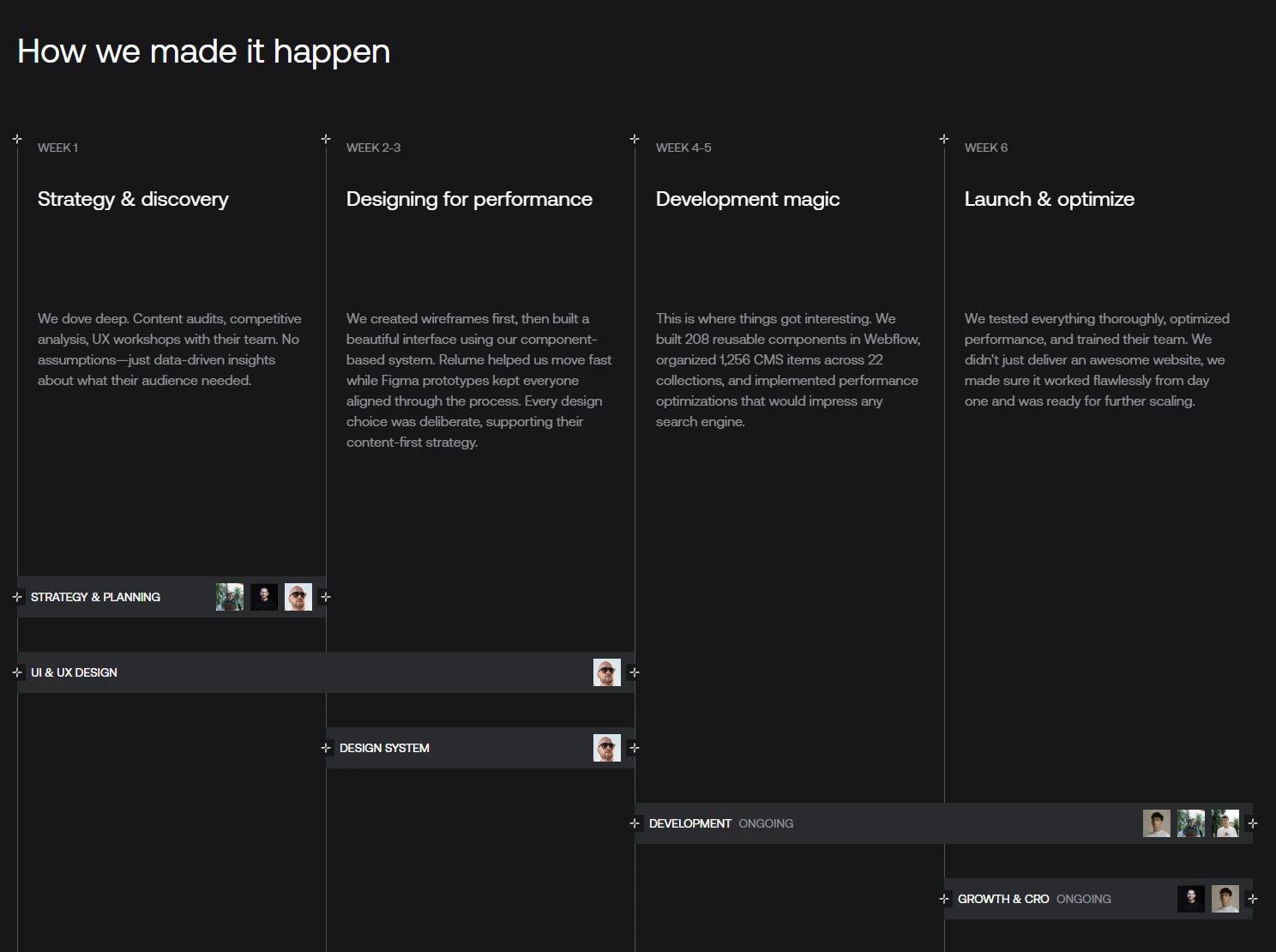
The Callstack rebuild took six weeks and lifted conversions by 176%. The timeline held because we fixed the scope early, audited the integrations before building, and moved the content across as-is, leaving the rewrite until after launch.
Planning a B2B SaaS website migration?
Get the planning right, and the build almost takes care of itself. We help B2B SaaS teams lock down site structure, CMS, redirects, and integrations before anyone touches the design, so launch day passes without a scare. Got a question on scope, timeline, or platform?