























Product video on a B2B SaaS website converts when it has a specific job and a placement built around that job. Most teams add a video, drop it in the hero, and treat the work as done. The B2B SaaS websites that convert give each product video one of 4 jobs (hook, demo, announce, convert) and choose the placement to match.
How product video placement decides conversion
A visitor landing on a B2B SaaS homepage wants to know one thing first, which is what the product actually does. A complex B2B SaaS product is almost impossible to explain in copy without losing the visitor along the way.
Most teams try with a headline, a bullet list, and three screenshots. The visitor scans a UI they cannot interact with and leaves before they understand what the product does. Product video solves this by closing the gap between "I am reading about this product" and "I understand how it works," which is why B2B SaaS pages with product video convert at 4.8% versus 2% without, a 2.5x difference that comes from the visitor switching from reading to watching.
Pro tip: Think of what this product video is trying to do at this point in the buyer journey. Every product video placement should have a specific job: demo, announcement, momentum, or conversion.
6 B2B SaaS websites using product video right
The 6 patterns below come from B2B SaaS websites that get product video placement right. Each one shows a different way to give product video a job and a placement that serves it. The patterns are not interchangeable. Each matches a different visitor moment and a different product category, which is why the strongest B2B SaaS websites often combine two or three.
1. Product video built into the product UI
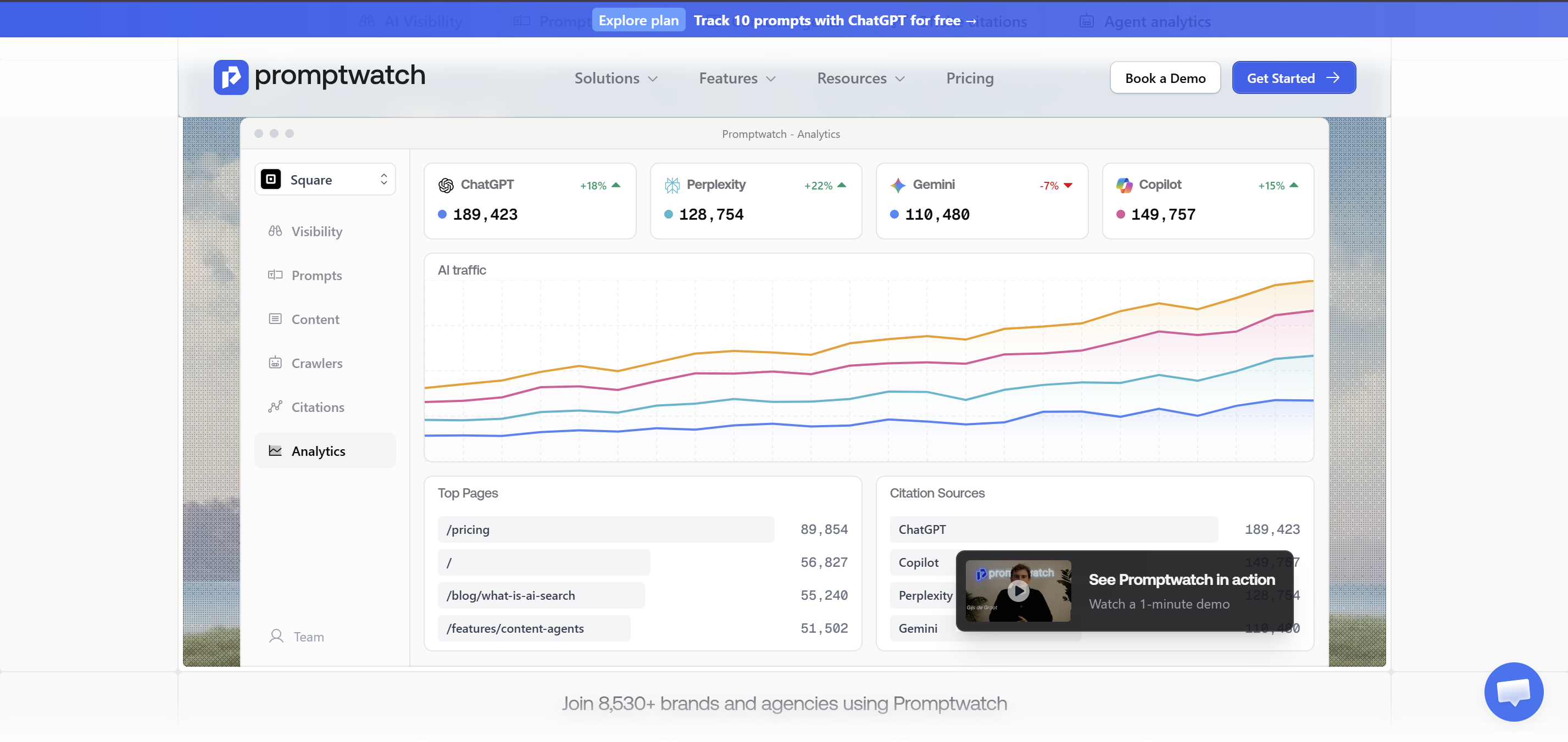
Promptwatch builds the product video into the UI rather than a separate section. Clicking into the product screenshot triggers the demo, so it feels native to the product. The best product video placement you will see on a B2B SaaS website.
2. Product video inside the CTA section
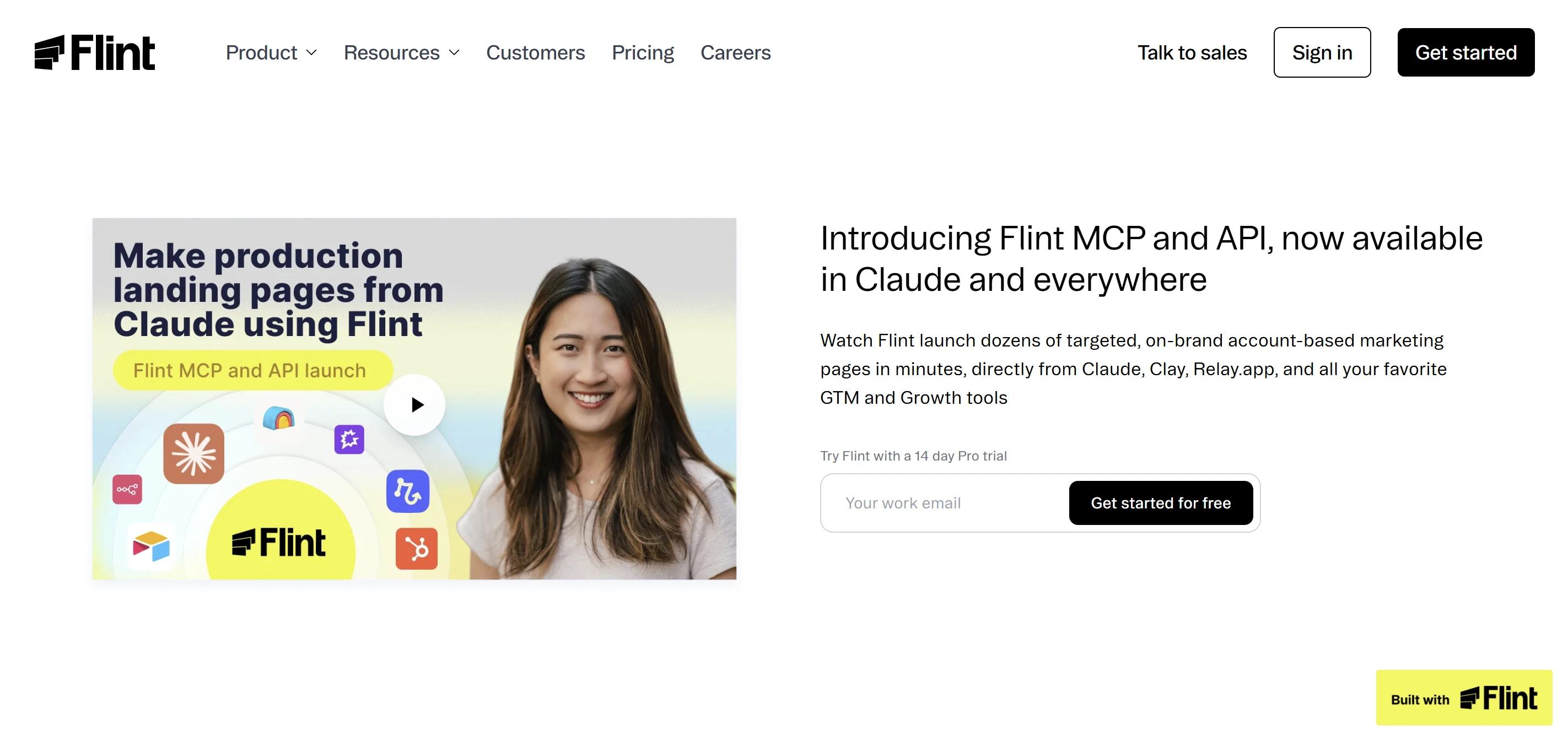
Flint places the product video right where the decision happens. If someone has scrolled to the CTA section and is still not sure, a short product video at that point is the most efficient conversion tool on the page.
3. Fundraising announcement in a corner popup
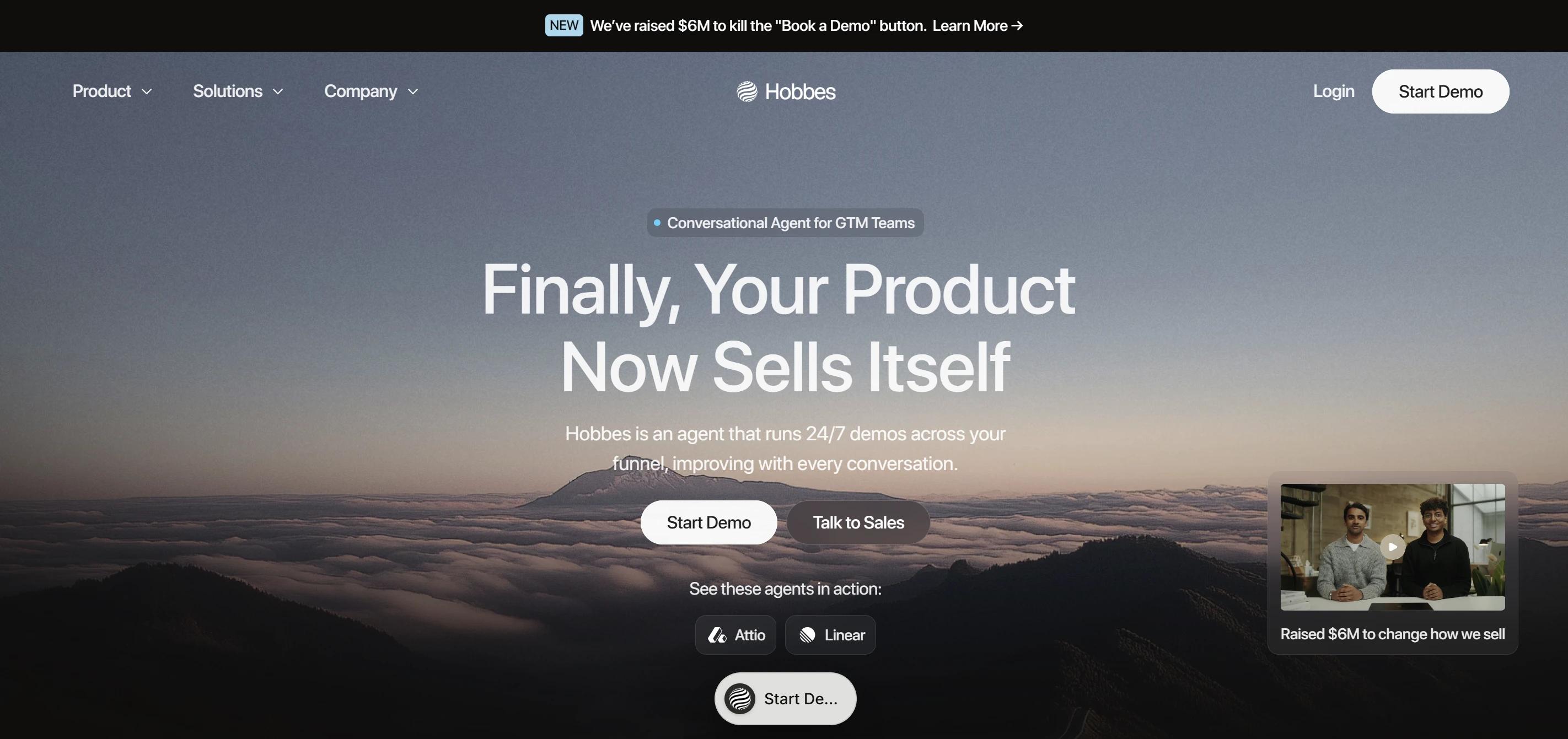
Hihobbes places the fundraising announcement in a corner popup that does not break the page flow but is impossible to miss. A corner popup for a fundraising video is a smart choice. High visibility with low interruption. Announcement job done without sacrificing the rest of the page.
4. Product video in hero and in footer
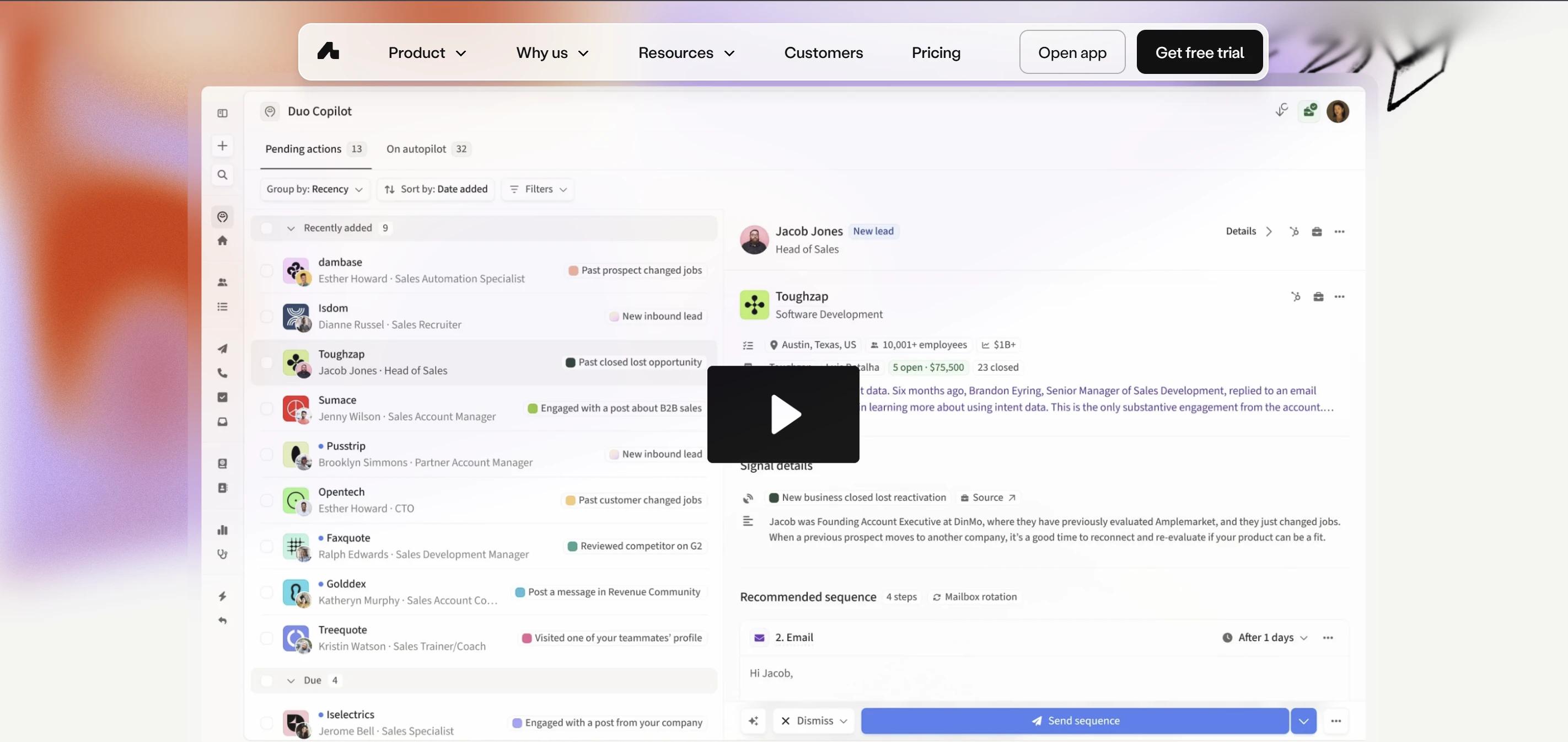
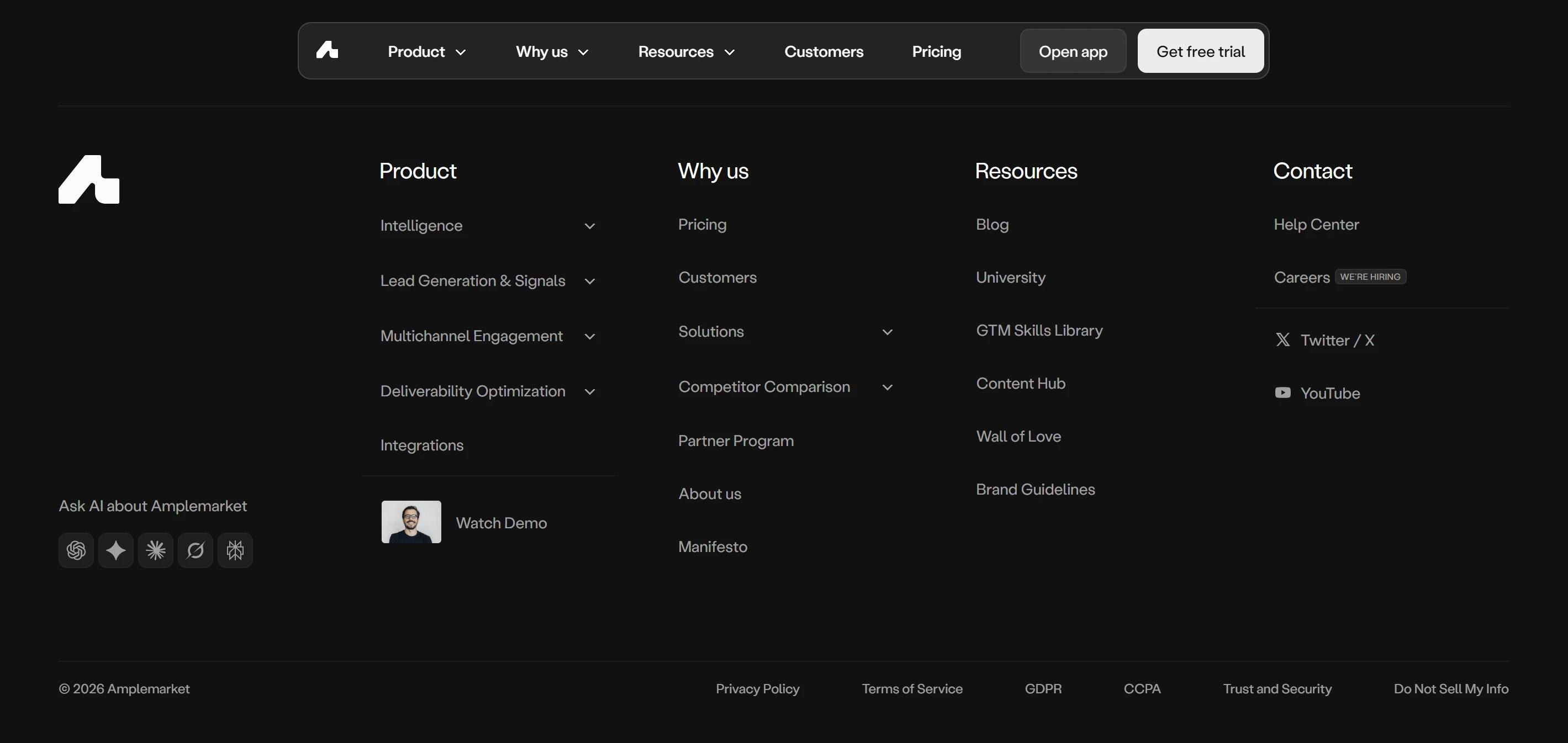
Amplemarket runs two different videos with two different jobs. The hero video hooks, giving the visitor the promise. The footer video reinforces, sitting as the last thing the visitor sees before leaving. Hook first, close last, which is how a strong content strategy is built around a B2B SaaS website. Paired video placement only works when both videos have different production approaches, which is the structural decision behind a SaaS product demo video that earns its budget across the page.
5. Looping product video as the hero visual
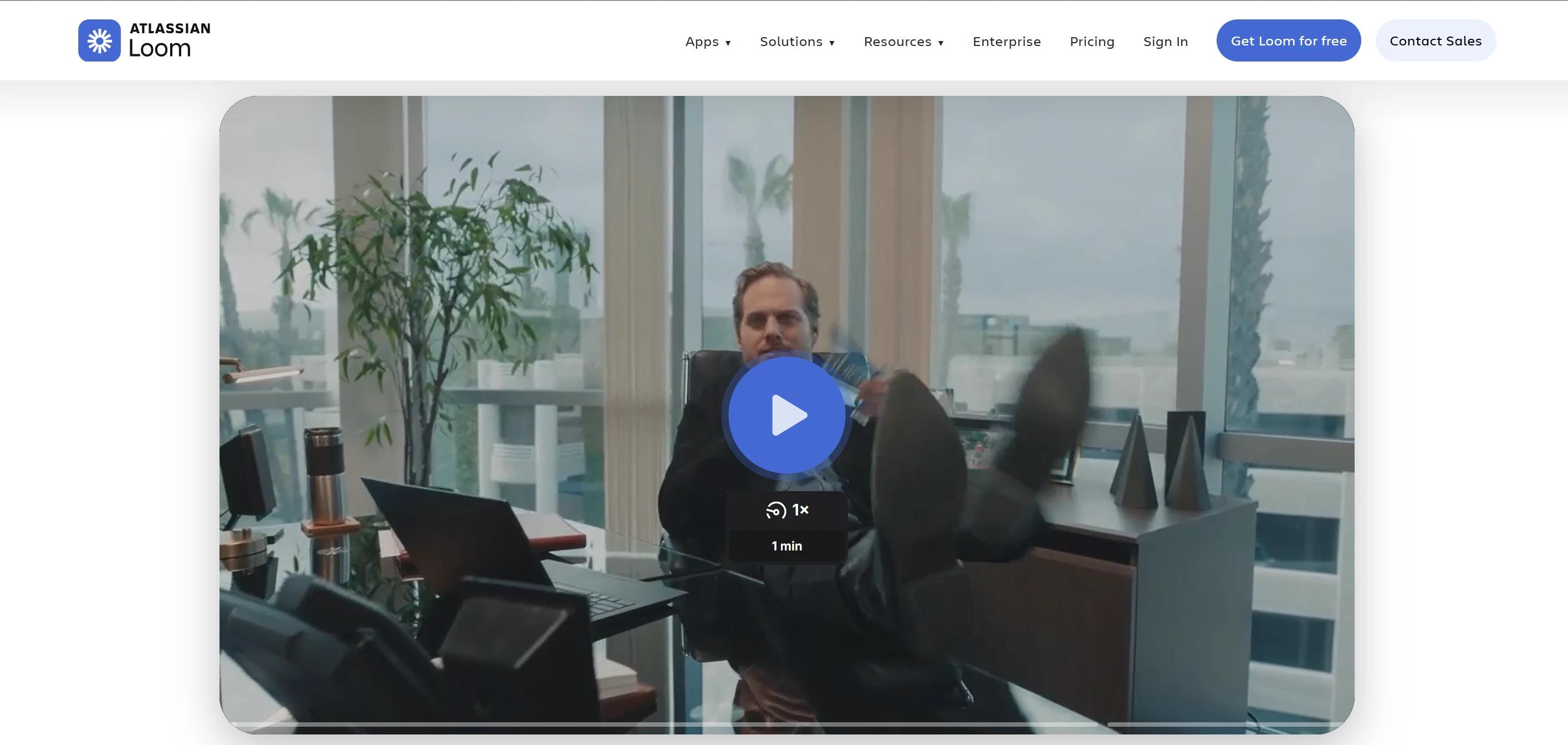
Loom uses a looping product video shot from a user's screen as the hero visual. It shows the product being used by a real person in a real context. Conversion rates for video-inclusive landing pages are 86% higher than static pages. The design lesson is simple. Show the product in action. Users buy confidence in the product, and a looping product video in the hero is the fastest way to build it.
6. Interactive product demo as the product video
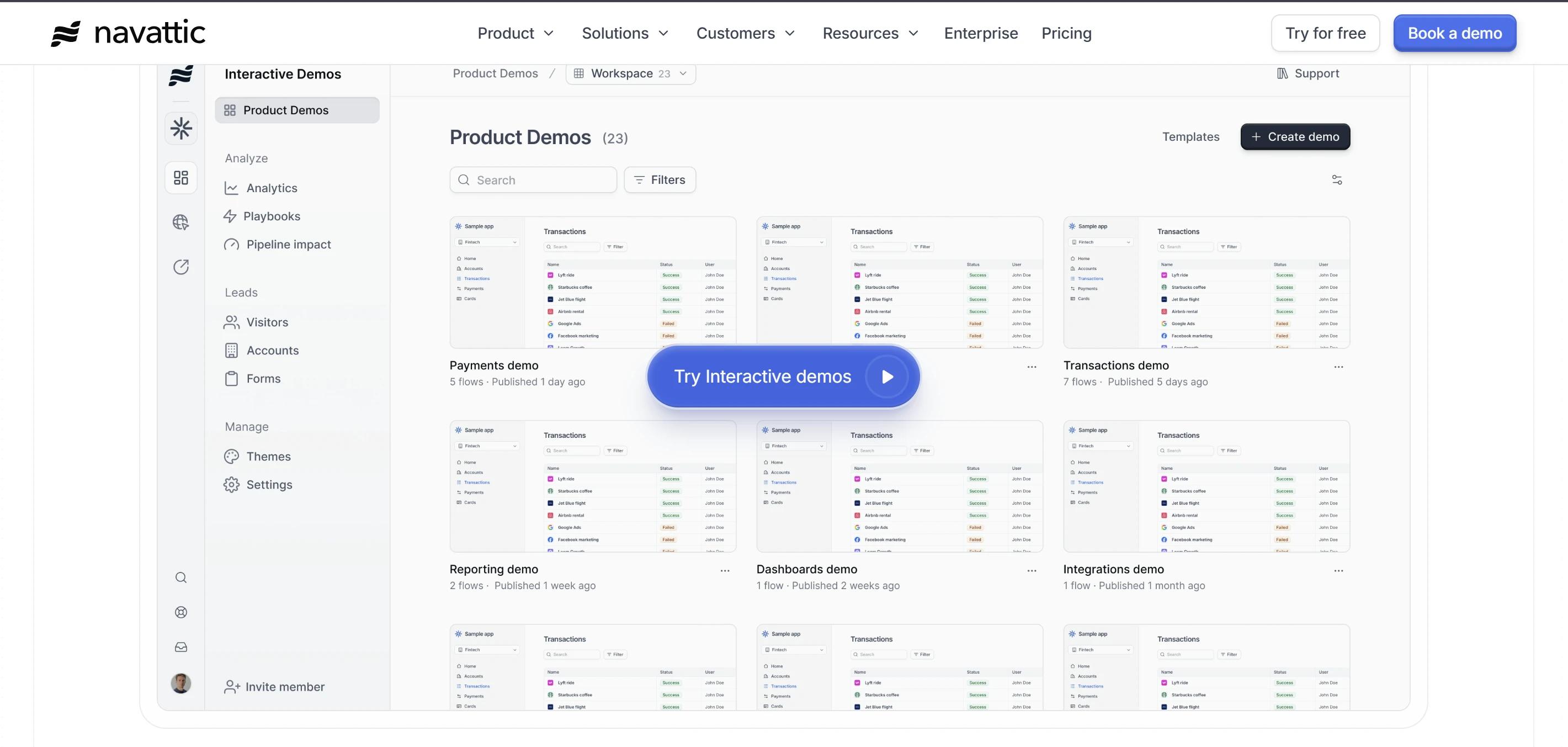
Navattic embeds the product demo as an interactive walkthrough inside the demo section, where the visitor clicks through actual product flows instead of watching a passive recording. Each click reveals a different feature in real product UI. The visitor learns the product by using a replica of it, which beats any product video for engagement on a B2B SaaS website.
The product video placement framework
Before deciding where to put your product video, decide what job it is doing. Then choose the placement that serves that job best.
The mechanics of producing a video for each placement are different, which is why SaaS product demo video production starts with the placement decision. This is the kind of structural decision a strong content strategy is built around.
Product video placement and job mapping
Use this table to match each product video placement to the job it does best on a B2B SaaS website.
What most B2B SaaS websites get wrong with product video
The most common mistake is product video without a job. A 3-minute explainer looping in the hero. A demo buried below the fold. A Loom uploaded to YouTube and embedded without context. The video gets added to the page, but the page never gets redesigned around it.
Three things break product video on a B2B SaaS website:
- Wrong length. Hero video should run under 90 seconds. CTA video should run under 60, because short-form video under 60 seconds converts at 61.4% on mobile while long-form drops to 22.8%. One long demo cut into placement-specific versions works better than one explainer recycled everywhere, which is where a great SaaS product demo video production plan pays off.
- Weak first frame. The thumbnail is the hook, and a blurry still or a black frame kills the click before the video gets a chance to play. Design the first frame the same way you design a hero image, because that frame is what the visitor sees in every share, every preview, and every search result.
- Sound on autoplay. Audio playing without permission breaks trust on mobile within 2 seconds, and every visitor on a public space (office, train, coffee shop) will close the tab. Always autoplay muted, and let the visual carry the first impression.
Pro tip. If you would not put it in the hero, skip the autoplay. If you would not watch it to the end, the visitor will leave too. Product video quality sets the expectation for product quality.
How to brief a product video for your B2B SaaS website
A product video brief should start with the job. Before talking to a production team, answer these four questions.
- What is the one thing the viewer should understand after watching?
- Who is watching, and where are they in the buyer journey?
- What does success look like?
- What is the placement?
Product video is the highest-leverage asset on a B2B SaaS website, and the easiest to waste. The companies that get the most out of product video decided what job the video was doing before they started shooting.
How to make product video work across your B2B SaaS website
A B2B SaaS website is the sequence of moments where a visitor needs the right proof at the right time. Product videos that convert sit inside that sequence rather than next to it, which is what we design at GRAFIT when we build B2B SaaS websites