



























A B2B website redesign comes down to one honest question: is the structure broken, or are a few pages just letting you down? If the site still ranks and converts and the problem is clarity on a handful of pages, iterate. If the structure no longer matches how you sell, redesign.
TL;DR
- Iterate when rankings, CMS functionality, and site structure remain sound; redesign when architecture no longer reflects buyer journeys or the sales process.
- Before redesigning, audit every URL for organic traffic, search intent, conversions, assisted journeys, and backlinks to identify assets worth protecting.
- Classify URLs as keep, improve, merge, redirect, remove, or rebuild, preserving valuable addresses and mapping necessary changes before launch.
- Protect SEO by implementing 301 redirects, retaining search intent, rebuilding internal links, controlling performance, and monitoring indexation and conversions after launch.
What makes a B2B redesign successful?
A redesign succeeds when it improves the site without causing traffic or leads to drop. The change can be visual, structural, or technical, but the goal stays the same: serve buyers and business objectives better than the current site does.
A visual redesign changes identity, components, and readability. A structural redesign reworks architecture, page hierarchy, and user journeys. A technical redesign affects the CMS, performance, and maintenance. The right outcome usually combines all three, but not to the same degree, and not every project needs all three.
So "make it prettier" is only half the job. The new site also has to be more useful, easier for your team to run, and better at turning visitors into leads. Plenty of redesigns look sharp and still load slowly, bury the important pages, and quietly tank in search
When should you redesign a B2B website?
Redesign when weak signals show up on the site, in the data, or in day-to-day operations. Waiting too long raises the cost of fixes and the risk of losing performance.
The trigger is functional rather than visual. A site can look dated and still bring in qualified pipeline, while a polished one can still leave buyers confused about what you do. To decide quickly, read the situation in terms of signal, risk, and priority.
The mistake I see most often is treating "the homepage feels old" as a reason to rebuild the whole site. It almost never is. The homepage can be replaced on its own. The blog posts ranking for commercial queries, the service pages carrying backlinks, the case studies feeding internal links to conversion pages. None of that needs to move just because the hero section looks tired.
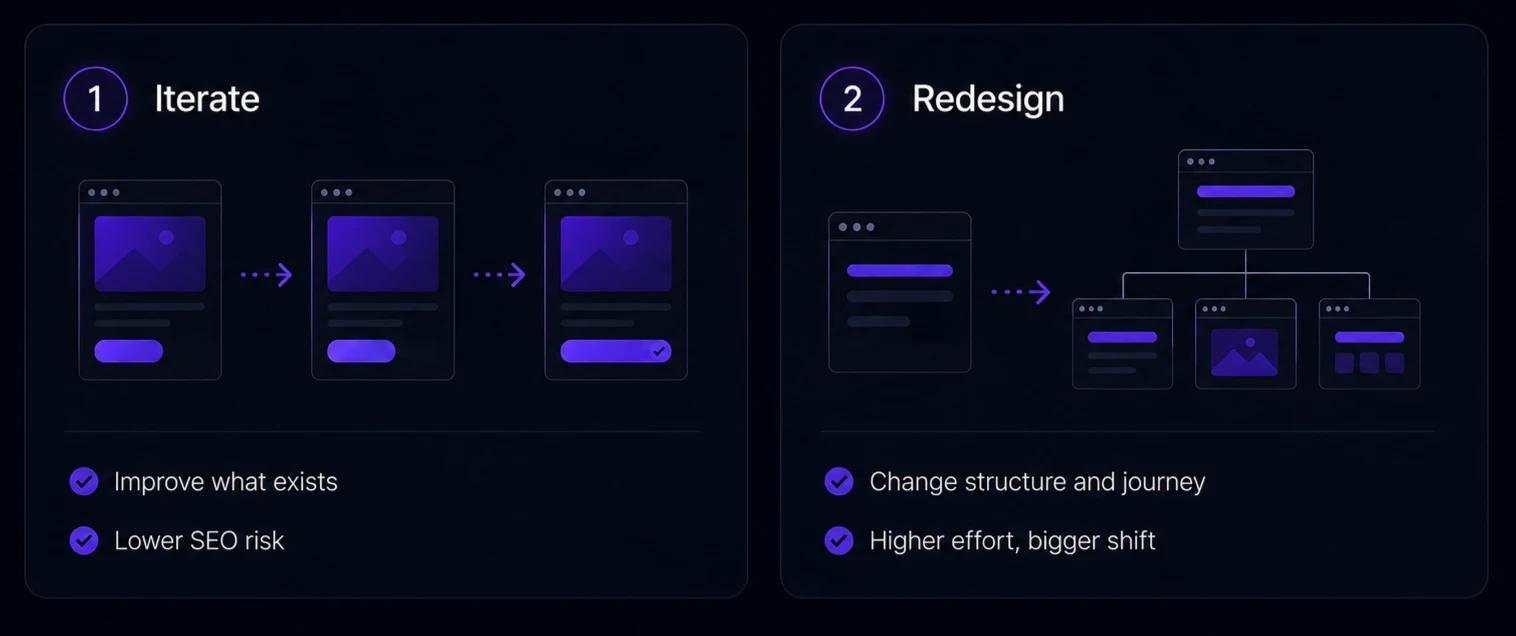
When iterating beats a full redesign
Iterate when three things are true:
- The site still ranks for queries that matter.
- The CMS still does its job.
- The real problem is clarity or conversion on specific pages.
In that situation, a rebuild adds risk without adding much you could not get from targeted work. A page that gets traffic but converts at a weak rate does not need to be deleted. It needs better copy, a clearer next step, and sometimes a conversion rate optimisation audit to find what is actually stopping people. That is a few hours of work rather than a whole project, and it leaves your rankings alone.
When a full redesign is the right call
Redesign when the structure is the problem. If the sitemap no longer maps to how buyers evaluate you, if navigation buries commercial pages, if the page hierarchy was built for a company you no longer are, then improving individual pages will not fix it. The architecture has to change.
The signal is consistency. When sales spends the first ten minutes of every call correcting the website, when new pages cannot be published without breaking the layout, when the journey from content to commercial pages is genuinely broken, those are structural problems. A redesign is the right tool. The SEO risk is real, but it is manageable with the right pre-work.
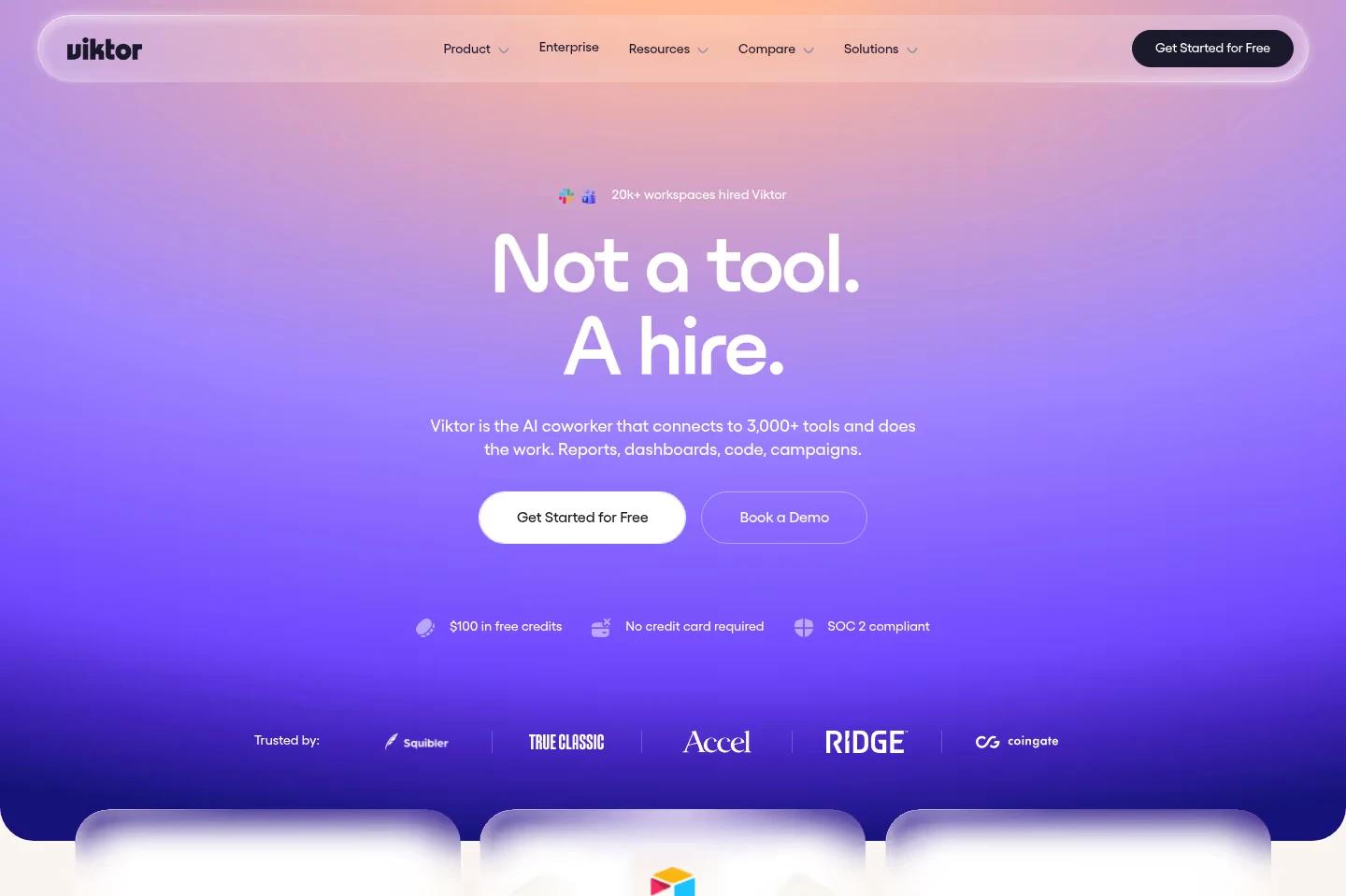
Take Viktor, the AI coworker built by the same founders behind Jace. It went from launch to $75M Series A. When a product scales that fast, the site falls behind in months. A redesign here is letting the site absorb new pages the business now needs. This is often what a redesign when you are moving upmarket really solves.
Why redesigns hurt B2B rankings more than teams expect
A redesign touches far more than the visual layer: URLs, page structure, content, internal links, load times, sometimes the CMS itself. Each is a place where something that worked can quietly stop working, and the damage usually doesn't surface in Search Console until the project is already signed off. It happens because design and SEO get treated as separate jobs, when they fail through the same mechanisms.
When organic performance drops after a relaunch, it almost always traces back to one of these 5:
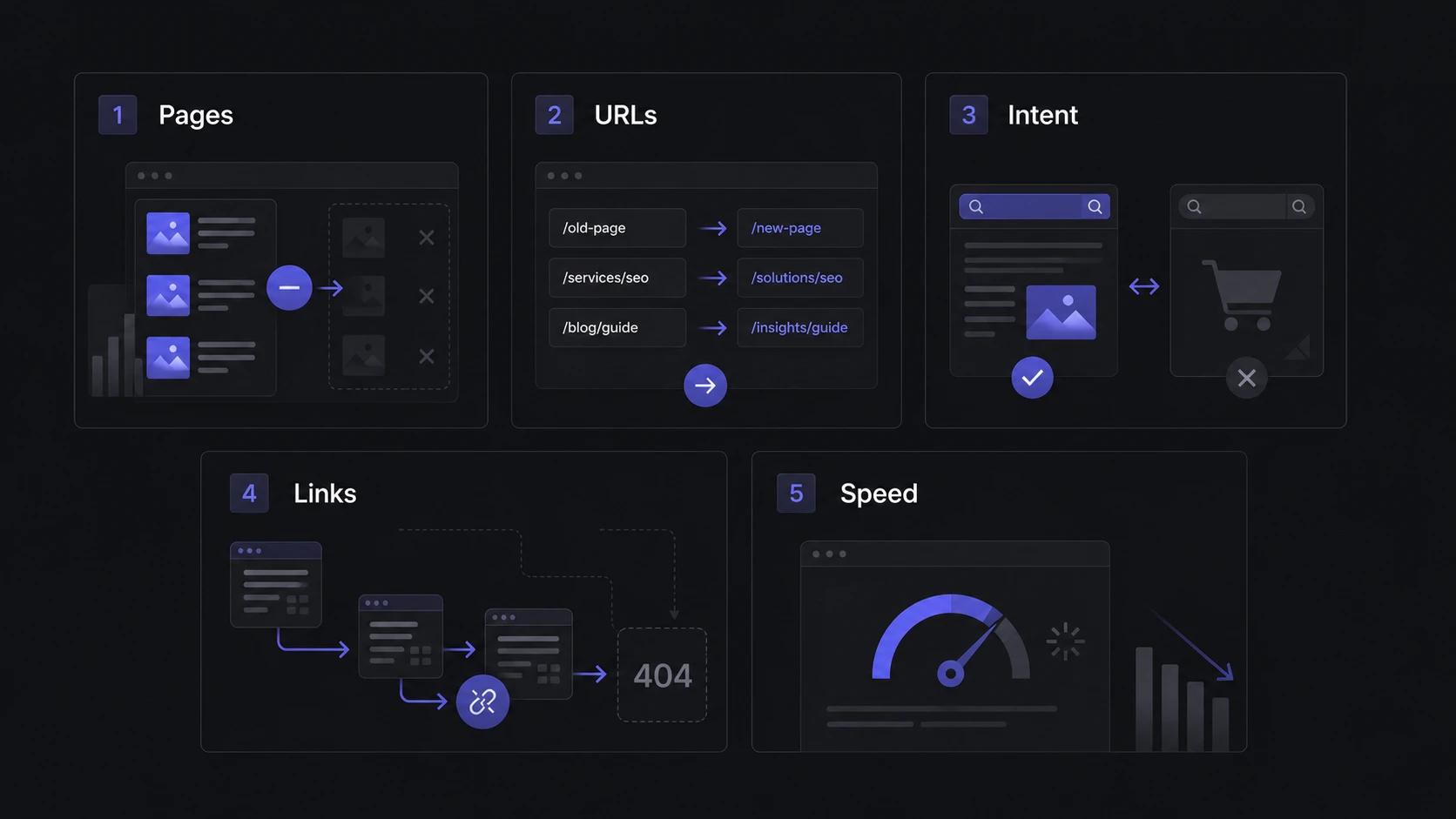
1. Ranking pages get deleted for looking outdated
A page can look tired and still be one of your best performers, ranking for a commercial query, holding backlinks, or assisting conversions in the background. When the new sitemap is drawn up around how the site looks rather than what it earns, these pages get cut. Before anything comes off the sitemap, check whether it ranks, carries links, or sits anywhere in a conversion path. Something as small as a designer swapping the H1 for an H3 to shrink the font can quietly tell Google the page's main heading barely matters, and these design mistakes stay invisible until traffic stalls.
2. URLs change without redirects
This is the single most expensive mistake, because a URL's ranking history and backlinks are tied to that exact address. Change /pricing to /plans with no redirect and Google treats the new page as brand new: zero history, zero authority, starting over. Multiply that across a few hundred pages and you've reset years of SEO equity overnight. Every URL that changes needs a 301 redirect pointing to its closest new equivalent, mapped before launch, not patched afterwards.
3. Content gets rewritten without checking search intent
A page ranks because it answers a specific question well. During a redesign, copy often gets rewritten for tone or brand voice, and nobody checks what the page was ranking for. The new version reads better to a human and no longer matches the query it won. Rankings slide, and the cause looks invisible because the page is still there and still "improved." Before rewriting a ranking page, know the query it owns and make sure the new copy still answers it. Getting that right is the heart of strong content strategy.
4. Internal links break
Internal links do two jobs: they guide visitors to related pages, and they tell Google which pages matter and how topics connect. A rebuild that doesn't carefully rebuild its link structure ends up pointing users and crawlers at 404s and severing the signals that flowed authority to your key pages. It's the same weakness behind a flat site structure, where important pages all sit at the same shallow depth and Google can't tell which ones matter. The fix is deliberate: re-map internal links to the new structure as part of the build, with descriptive anchor text, so authority keeps flowing to the pages you most want to rank. That re-architecture is SEO work in its own right, and it rarely happens by accident during a design refresh.
5. The new site loads slower than the old one
Redesigns love animation, full-bleed imagery, custom fonts, and third-party scripts, and each one adds weight. A site that felt snappy can ship noticeably slower, which hurts Core Web Vitals and conversions at the same time, since slow load times drag down both rankings and form completions. In B2B, where a single qualified visitor is worth a lot, even a one-second delay on mobile is expensive. Benchmark the old site's speed before launch and treat the new one beating it as a requirement.
Every one of these is preventable. It just has to start before you write a single line of the brief.
What to audit before you decide
A redesign is also the moment to add what's missing, often the use-case pages buyers actually search for that the site never built. Before any brief exists, the current site needs a structured review, less a traditional technical audit, more a business inventory of what the site already does, page by page. This is the step that tells you whether to iterate or rebuild, and it's the step most teams skip.
What you need to pull is:
- Organic performance from Google Search Console
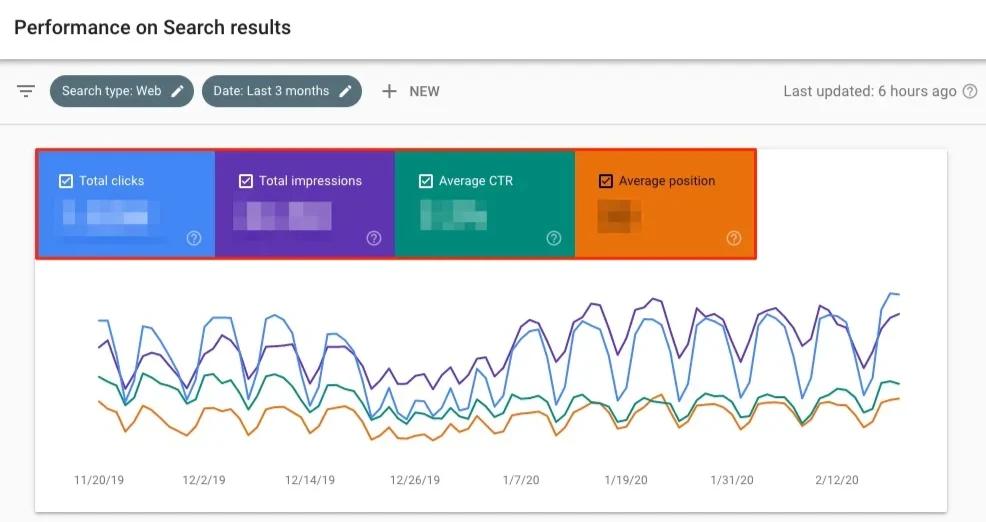
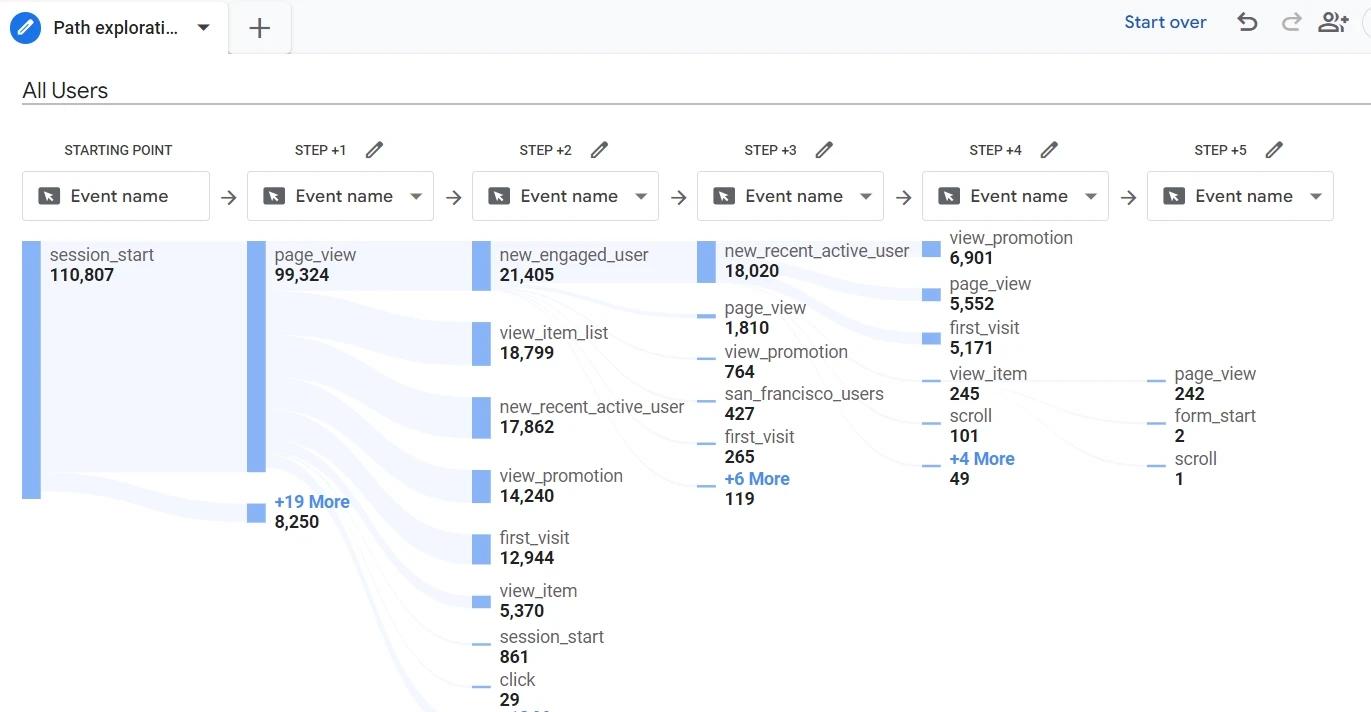
- Conversions and assisted paths from GA4
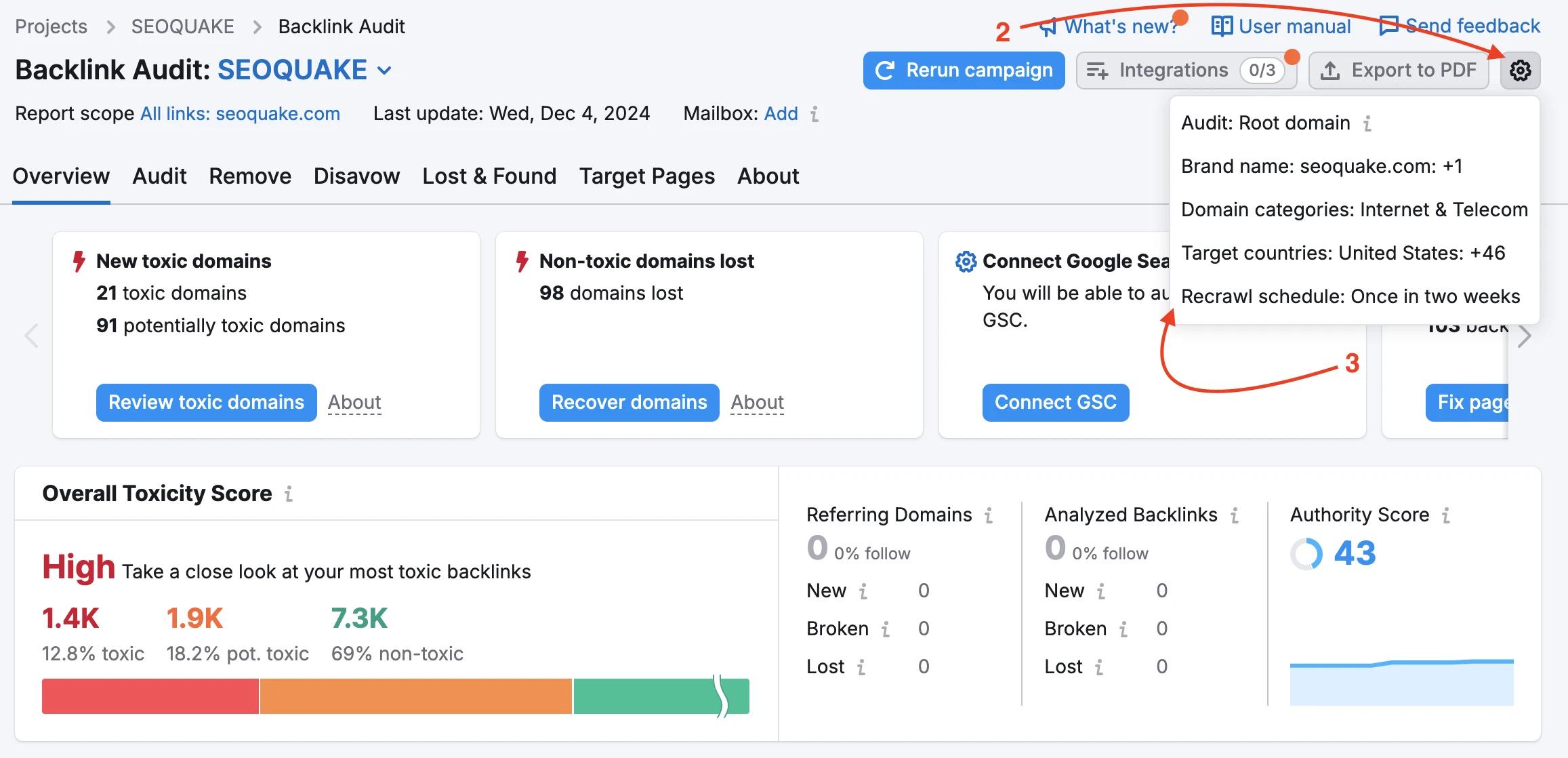
- Backlink data from Ahrefs or Semrush
Sort every URL into one of 6 buckets
Once the data's in, every URL gets a label. This is what turns a vague brief into specific instructions for whoever does the work.
- Keep - ranks, converts, or carries backlinks. Same URL, content may get a refresh.
- Improve - has value but underperforms. Rewrite for the intent it ranks for, keep the URL.
- Merge - 2 thin pages on 1 topic. Combine them, redirect the rest into the survivor.
- Redirect - the URL has to change for structural reasons. 301 it to the most relevant new page.
- Remove - no traffic, no backlinks, no conversions. Delete it, redirect if it's still indexed.
- Rebuild - keep the URL, reconstruct the page. Common for core commercial pages where the structure was the problem, not the address.
Your fast checklist for redesigning website without hurting SEO
If the audit points to a rebuild, the work that protects rankings happens before launch and in the 90 days after. Know what you have, what you're changing, and how to bridge the two.
Before launch
- [ ] Export every current URL from the site.
- [ ] Pull 12 months of Search Console data by URL.
- [ ] Pull backlink data by URL from Ahrefs or Semrush.
- [ ] Identify which pages rank, convert, or carry backlinks.
- [ ] Classify each URL: keep, improve, merge, redirect, remove, or rebuild.
- [ ] Build a 301 redirect map for every URL that will change.
- [ ] Keep valuable URLs unchanged wherever structurally possible.
- [ ] Confirm rewritten pages still answer the original search intent.
- [ ] Carry over title tags and meta descriptions on core pages.
- [ ] Check tracking and the key measurement events.
One decision belongs here too: the platform. The real question isn't "Webflow or not," it's whether your team can edit and evolve pages without a developer for every change. If you're weighing options, we go deeper on choosing a tech stack and Webflow vs HubSpot, and our website migration work keeps a platform change from costing you rankings.
During build and at launch
- [ ] Rebuild internal links to match the new structure.
- [ ] Test every form and CTA.
- [ ] Validate templates, states, and variants on desktop and mobile.
- [ ] Run speed tests on both, and compare them to the old site.
- [ ] No-index the staging site, then remove the block at launch.
- [ ] Verify redirects point to the correct destinations before going live.
After launch: the 90-day window
Submit the new sitemap on launch day, keep the old one active for a few weeks so crawlers find your 301s fast, then watch the data, since some pages hold their positions for weeks before they move.
- [ ] Submit the new sitemap to Search Console on launch day.
- [ ] Keep the old sitemap active for a few weeks.
- [ ] Track rankings for your priority queries.
- [ ] Watch 404s and crawl errors.
- [ ] Check indexation in the Pages report.
- [ ] Monitor conversions and form submissions.
Redesign a B2B website without losing what you've built
Done right, a redesign grows your traffic and leads instead of resetting them. The teams that pull this off treat SEO as part of the build from the first wireframe. That's how we work, and it's why the sites we ship come out faster, clearer, and ranking. If you're weighing a redesign and want a second set of eyes on what to protect Let's talk growth